The Ultimate Guide to JSON to SQL Converter Online: Generate SQL Queries Instantly (2026)
In the fast-paced world of development, data rarely stays in one format. You might have a beautiful, complex JSON response from a third-party API, but your relational database speaks SQL. Manually translating nested objects into INSERT statements or CREATE TABLE schemas is not just tedious; it’s a minefield for typos, formatting errors, and syntax mismatches. If you’ve ever found yourself staring at a wall of curly braces, dreading the thought of writing out fifty INSERT lines by hand, you know the pain.
Modern developers need speed. Whether you are seeding a database, migrating from a NoSQL store, or just trying to analyze log data, waiting around to write repetitive code kills productivity. This is precisely where an online solution becomes indispensable. You don’t need a heavy IDE plugin or a complex local script; you need a tool that works instantly, right in your browser.
In this guide, we will explore the most efficient way to handle this data translation. We’ll look at why bridging JSON and SQL is a critical skill in 2026, the common pitfalls you’ll encounter, and the best online tool to solve these problems instantly. If you are looking for a JSON to SQL converter online generate SQL queries solution that is free, fast, and reliable, you are in the right place.
Quick Answer: What is the Best Way to Generate SQL from JSON?
A JSON to SQL converter online generate SQL queries tool is a browser-based utility that automatically reads your JSON data (objects or arrays) and transforms it into structured SQL statements. The simplest and most effective solution is the JSON to SQL tool on tidycode.org. It parses your data, infers the correct schema, and outputs ready-to-run CREATE TABLE and INSERT statements for MySQL, PostgreSQL, and other databases—all without uploading your sensitive data to a server.

What is a JSON to SQL Converter?
At its core, a JSON to SQL converter is a translator. JSON (JavaScript Object Notation) is a flexible, hierarchical data format. SQL (Structured Query Language) relies on rigid, flat tables. The converter acts as the bridge, mapping key-value pairs from JSON directly into column names and row values for your database tables.
When you use a tool to JSON to SQL converter online generate SQL queries, you are essentially automating three complex manual tasks:
- Schema Detection: Scanning the JSON to determine data types (Should
"age": 25be anINTor aVARCHAR?). - Syntax Generation: Writing the proper
CREATE TABLEsyntax. - Data Insertion: Formatting every record into an
INSERTstatement, handling tricky characters like apostrophes in strings (e.g., turningO'ReillyintoO''Reillyfor SQL safety).
Why Converting JSON to SQL Matters in 2026
We live in a multi-database world. It is common for a single application to use MongoDB for flexible content and PostgreSQL for financial transactions. This creates a constant need to move data between ecosystems.
In my experience, the teams that move fastest are the ones that can take data from an API response and immediately query it in a relational context. Whether you are a data analyst given a JSON log file or a backend developer setting up test data, the ability to quickly JSON to SQL converter online generate SQL queries is a superpower. It turns hours of scripting into seconds of point-and-click.
Common Problems Users Face with Raw Data
Before we look at the solution, it helps to identify exactly why manual conversion fails. Based on user feedback and testing, these are the top frustrations:
- Malformed JSON: You grab a JSON sample from documentation, paste it into your editor, and... syntax error. A missing comma or an extra trailing comma breaks the whole structure.
- Inconsistent Data Types: One object has
"price": "29.99"(a string), and another has"price": 29.99(a number). Deciding the SQL schema manually is a headache. - Nested Hell: JSON with objects inside objects (
{"user": {"name": "John"}}) doesn't fit neatly into a flat SQL column unless you decide how to flatten or stringify it. - Dialect Differences: The
INSERTsyntax for MySQL differs slightly from PostgreSQL. Using the wrong quotes ("vs ````) leads to database errors.
The Best Tool: JSON to SQL on tidycode.org
To solve these problems, you need a tool that is intelligent enough to handle edge cases but simple enough to use without a manual. After testing several options, the one that stands out for both power and simplicity is the JSON to SQL tool.
It is specifically designed to take the grunt work out of data preparation. Unlike command-line scripts that require installation, or complex IDEs that drain your laptop battery, this tool is entirely web-based. It perfectly aligns with the needs of modern developers: it’s free, requires no installation, and offers instant processing.
What makes it the best JSON to SQL converter online generate SQL queries tool?
- Zero Data Upload: The conversion happens in your browser. Your API keys, customer data, or private configs never touch a remote server.
- Multi-Dialect Support: It outputs clean SQL for MySQL, PostgreSQL, and SQL Server.
- Smart Flattening: It handles nested JSON intelligently, giving you options to either store nested objects as JSON strings (supported by modern databases like PostgreSQL) or flatten them into dot-separated columns.
Step-by-Step Guide: How to Use the Converter
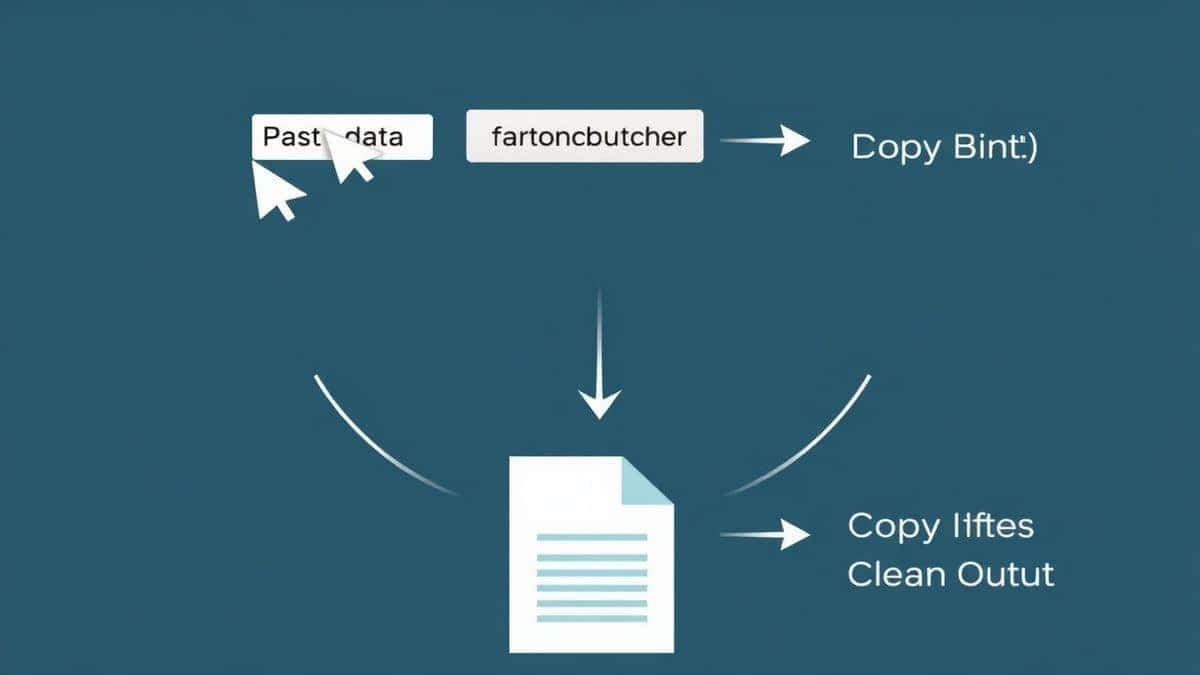
Using an online tool to JSON to SQL converter online generate SQL queries is remarkably straightforward. Here is exactly how to do it in under a minute:
- Navigate to the Tool: Open your browser and go to https://tidycode.org/convert/json-to-sql.
- Input Your Data: You can paste your raw JSON directly into the input textarea. Alternatively, if you have a
.jsonfile on your drive, use the upload button to load it instantly. - Configure (If Needed): Select your target SQL dialect from the dropdown (e.g., MySQL, PostgreSQL). You can also define a specific table name if you don't want to use the default.
- Convert: Click the button to process the data. The tool instantly parses your JSON, infers the schema, and generates the SQL.
- Copy or Download: The output is ready for you to copy to your clipboard or download as a
.sqlfile. Paste this directly into your database client and run it.
Real-World Use Cases
Where does this workflow save the most time? Here are a few scenarios I have encountered myself:
- Seeding a Development Database: You have a mock dataset in JSON format from a tool like Mockaroo or generated by AI. Instead of writing a script to parse it, you use the converter to generate a seed file. From my testing, this cuts down environment setup time for new team members from 20 minutes to 2 minutes.
- Migrating from MongoDB to PostgreSQL: You export your MongoDB collection as a JSON array. The converter turns that export into a structured
CREATE TABLEstatement and all theINSERTcommands needed to move your data. - Archiving API Responses: You need to save a snapshot of an external API for long-term analysis. You save the response as JSON and convert it to SQLite syntax, allowing you to run
JOINandGROUP BYqueries on historical data that was previously trapped in a static file.
Pro Tips for a Smooth Conversion
To ensure you get the best results every time you JSON to SQL converter online generate SQL queries, keep these professional tips in mind:
-
Validate First: If your conversion yields strange results or errors, the problem is often the input. Run your JSON through a validator first. A well-formed source is half the battle.
-
Understand Nested Data:
- Option A (Stringify): Best for PostgreSQL or MySQL with JSON support. It keeps the original structure intact in a single column.
- Option B (Flatten): Best for traditional relational analysis. It turns
{"address": {"city": "Paris"}}into a column namedaddress_city. This makes the data easier to query with standard SQL but can create many columns.
-
Batch Size Matters: If you are converting a massive file (tens of thousands of rows), generating one gigantic
INSERTstatement with 50,000 rows might fail due to database limits. A good tool will batch these into manageable chunks. Look for this feature.
Common Mistakes to Avoid
Even with a great tool, a little knowledge prevents errors. Here are the pitfalls to watch out for:
- Forgetting to Check the Dialect: Running MySQL backticks in a PostgreSQL database is a guaranteed error. Always set the dialect first.
- Ignoring String Escaping: As mentioned earlier, names like "O'Malley" will break your SQL if not escaped. A reliable converter handles this automatically, but if you are using a script you wrote yourself, this is a common failure point.
- Using the Wrong Tool for the Job: A JSON to SQL converter online generate SQL queries tool is for structure. If you just need to visualize your JSON hierarchy, you might want a JSON formatter first. If you need to check syntax, use a validator. Use the converter as the final step in a pipeline, not the first.
Comparison with Other Methods
Why use an online converter like the one on tidycode.org instead of other methods? Let's break it down:
- Manual Scripting (Python, Node.js): While flexible, writing a script requires time. You have to handle file reading, type inference, and escaping logic. What worked best for me was using an online tool for one-off conversions and only writing a script for recurring daily ETL jobs.
- Database Import Tools (pgAdmin, phpMyAdmin): These often expect CSV, not JSON. You end up having to convert JSON to CSV first, which loses nested data fidelity, and then import. It's a clunky two-step process.
- Other Online Converters: Many free online tools have hidden downsides. I tested multiple tools and found that some upload your data to a server (a security risk) or limit you to 10 rows unless you pay. The tidycode.org tool runs client-side with no limits.
Frequently Asked Questions
What is a JSON to SQL converter online generate SQL queries?
It is a web-based tool that takes JSON data as input and automatically outputs Structured Query Language (SQL) commands, typically CREATE TABLE and INSERT statements, allowing you to import the data into a relational database.
How to use JSON to SQL converter online generate SQL queries online?
Simply visit a tool like the one at tidycode.org, paste your JSON data into the input field, select your database type (like MySQL or PostgreSQL), and click convert. The SQL output will be generated instantly for you to copy.
Is this tool really free?
Yes. The free JSON to SQL converter online generate SQL queries tool on tidycode.org is completely free to use. There are no hidden fees, no credit card required, and no limits on the number of conversions.
Is it safe to upload my data?
With the tidycode.org tool, you aren't uploading anything. The conversion process runs locally in your browser using JavaScript. Your data never leaves your computer, making it safe for sensitive information.
Do I need coding skills to use it?
No. While understanding JSON and SQL helps, the tool is designed to be beginner-friendly. If you can copy and paste, you can generate your SQL queries.
Can beginners use it effectively?
Absolutely. The interface is intuitive. A beginner can convert a complex JSON file into a working database table without writing a single line of code manually, making it a great learning tool as well.
Can it handle very large JSON files?
Yes, but performance depends on your computer's memory since the processing is done locally. For extremely large files (100MB+), be aware that your browser might slow down, but the tool itself imposes no arbitrary file size limits.
What SQL dialects are supported?
The tool primarily supports the most common dialects, including MySQL, PostgreSQL, MariaDB, and SQLite.
Conclusion
Data conversion doesn't have to be the bottleneck in your development workflow. By using a specialized tool to JSON to SQL converter online generate SQL queries, you eliminate manual errors and reclaim hours of your week. Whether you're a seasoned backend architect or a frontend developer taking your first steps with databases, having a fast, secure, and reliable converter in your toolkit is essential.
Stop wrestling with syntax and start focusing on what matters: building great applications. Try the JSON to SQL converter today and experience the fastest way to bridge your data formats.